
Accounting, CRM, and eCommerce payments
Payments, invoices, and recurring billing in Salesforce and Litify.
Kulturra is a native Salesforce app for taking card and ACH payments, sending invoices, and running recurring billing, with a separate edition built for firms that run on Litify.
Overview
What Kulturra does.
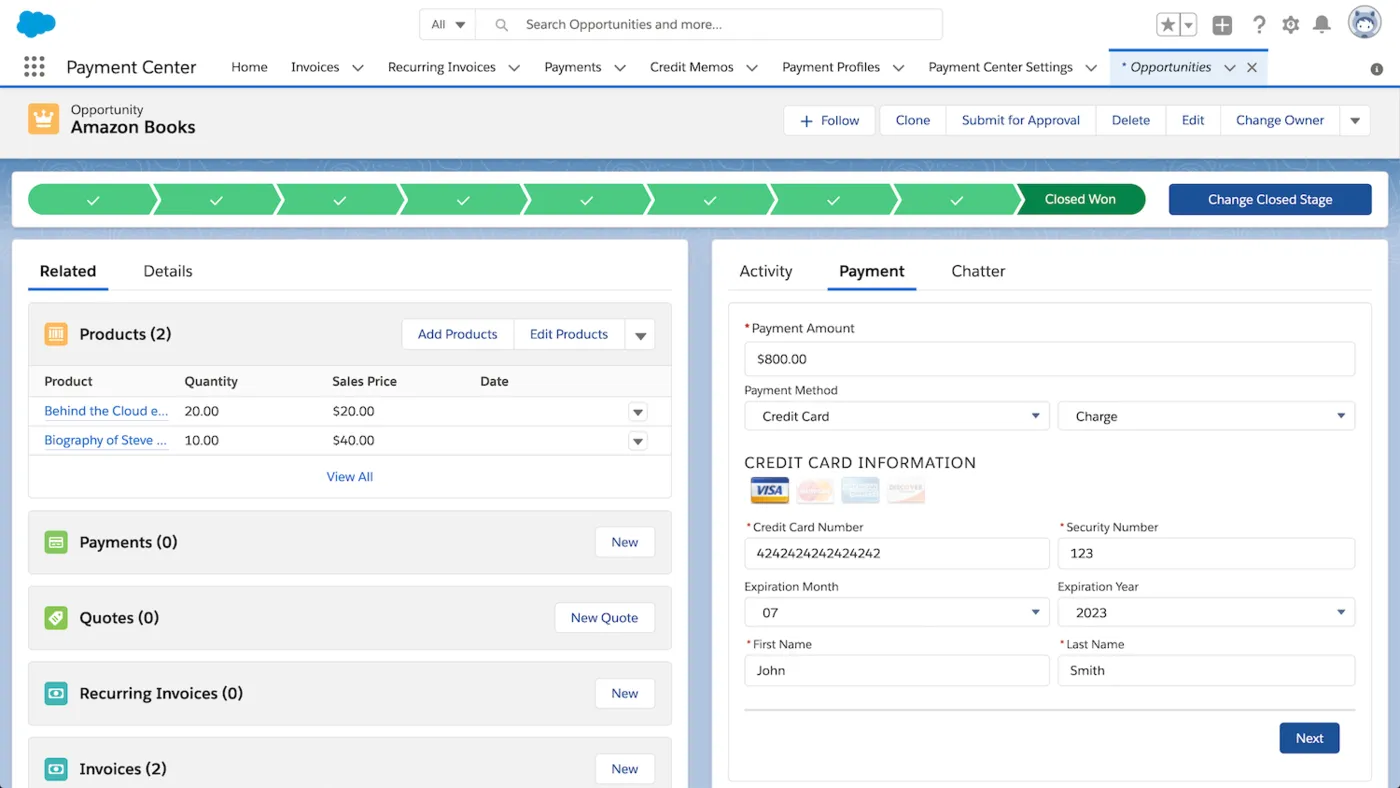
Kulturra puts payment processing inside Salesforce, so the team that manages accounts and opportunities can also take payments and send bills. It works with standard Salesforce objects such as Accounts, Contacts, Opportunities, Quotes, and Products, and with custom objects too. A separate edition, Kulturra for Litify, brings the same payments, invoicing, and recurring billing to firms that work in Litify.
Staff can charge a card or bank account from a drag-and-drop payment component, authorize now and capture later, and void or refund without leaving Salesforce. Card details are tokenized, so the org does not hold sensitive card data, and offline payments such as checks, cash, and wires can be recorded next to card and ACH activity.
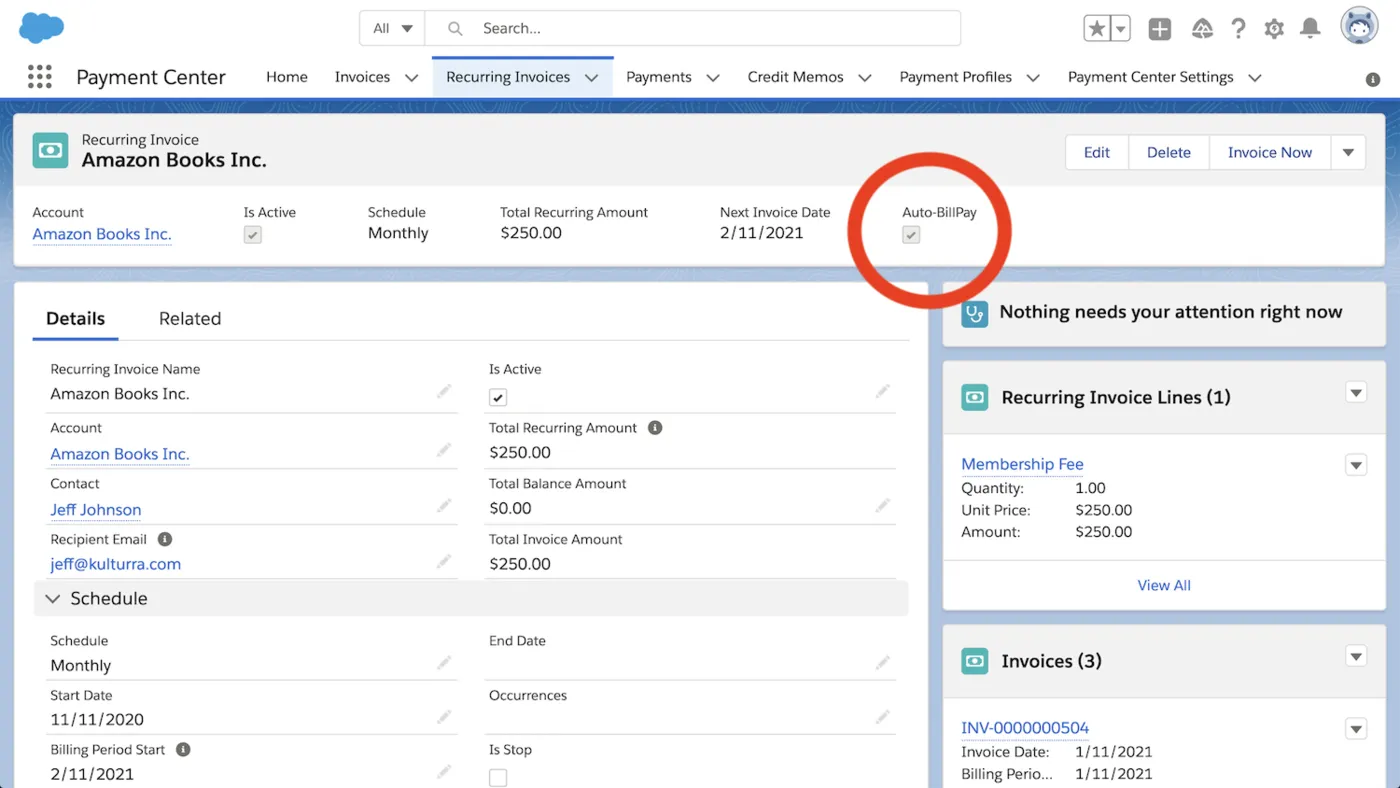
Invoices come from templates you can brand, can be split into a down payment or installments, and go out by email with a pay link. Recurring invoices and charges run on schedules from daily to multi-year, failed payments retry on their own, and customers get reminders about overdue invoices and expiring cards. Businesses that use Experience Cloud can also give customers a self-service portal for viewing and paying invoices.
Capabilities
What Kulturra handles.
- Card and ACH in SalesforceCharge cards, bank accounts, Apple Pay, and Google Pay from anywhere in Salesforce, and authorize, capture, void, or refund on the record.Ask about this
- Branded invoicesBuild invoices from customizable templates with taxes, discounts, and shipping, send them in batches, and include a secure link so customers pay online.Ask about this
- Recurring billingSchedule recurring invoices or automatic charges, with retries for failed payments and reminders before saved cards expire.Ask about this
- Customer self-serviceWith Salesforce Experience Cloud, customers can sign in to see their invoices and pay them on their own schedule.Ask about this
- Tokenized card dataKulturra tokenizes card details, which keeps sensitive payment data out of your Salesforce org while payments still process securely.Ask about this
- REST API and global classesDevelopers can connect Kulturra to other systems with its REST API and global classes, and admins can add payment components without code.Ask about this
With TrueTill
One team from fit to go-live.
- 01
Check the fit
We learn how you work, then confirm Kulturra fits your business, your devices, and the software you already use.
- 02
Set it up
We coordinate the Kulturra setup with the payments behind it, so the system and the processing go live together.
- 03
Stay supported
One TrueTill contact for questions after launch, from training to changes as your business grows.
Questions
Kulturra: common questions
What payment methods can customers use?
Major credit cards, ACH or eCheck, and digital wallets such as Apple Pay and Google Pay. Staff can also record checks, cash, and wire transfers so the payment history in Salesforce stays complete.
Do I need a developer to set it up?
No. Many features are configured with drag-and-drop components. Developers can use Kulturra's REST API and global classes when they need deeper integrations.
- Dynamics EshopDynamics 365 payment processing
- IT DelightPayment plugin for Shopware stores
- ShopwareeCommerce platform for online stores
- WPGatewaysCard and ACH checkout for WooCommerce
- CMS MaxWebsite platform with eCommerce and SEO
Kulturra is a product of its own company. This page is TrueTill's summary of Kulturra's public materials, reviewed November 16, 2026; images are Kulturra's own. Features and availability can change, so we confirm them before you sign. Sources: kulturra.com, kulturra.com.
Get started
Ask about Kulturra.
Tell us how you run your business. We will confirm whether Kulturra fits and set it up with the payments behind it.
- A team member follows up with you
- We confirm what fits before you sign anything
- Setup, payments, and support from one team
Rather talk now? We answer around the clock. (843) 296-2599
Form stuck or not loading? Open the form on its own page or call (843) 296-2599.