
Accounting, CRM, and eCommerce payments
Card and ACH payments built into Dynamics 365.
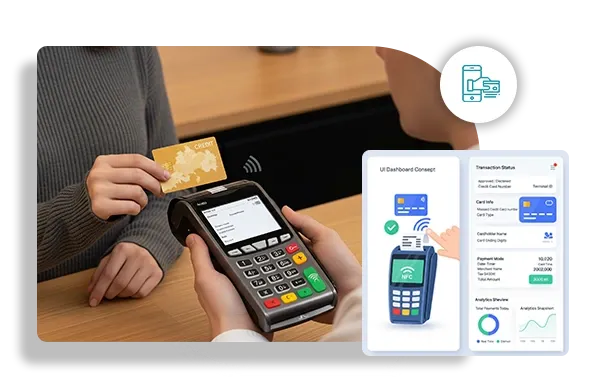
ePay from Dynamics eShop takes card and ACH payments inside Microsoft Dynamics 365, from the ERP itself, a customer payment portal, emailed payment links, online checkout, and the store counter.
Overview
What Dynamics Eshop does.
Dynamics eShop builds commerce, portal, and payment tools that connect directly to Microsoft Dynamics ERP systems, including Dynamics NAV, Dynamics 365 Business Central, Finance and Operations, and Dynamics 365 Sales. ePay is its payments line: a standalone payment system that runs inside Business Central, with a separate edition for Finance and Operations.
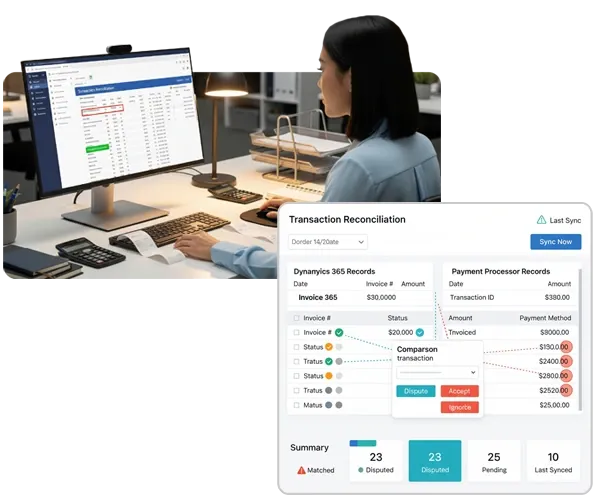
With ePay, staff can authorize and capture card or ACH payments on sales orders, on open and posted invoices, and on cash receipts in Business Central. Payment and sales data lands in the ERP on its own, and records in Business Central are matched against payment data, so transactions can be reconciled or disputed without retyping.
Outside the ERP, ePay covers the other places customers pay: eShop Pay for online stores, a customer payment portal for open invoices and saved payment profiles, invoice emails with payment links, reminder emails for past-due balances, and in-store POS payments.
Capabilities
What Dynamics Eshop handles.
- Payments in Business CentralAuthorize and capture card or ACH payments on orders, invoices, and cash receipts without leaving Business Central.Ask about this
- Customer payment portalCustomers pay their Business Central invoices online and keep their saved card and ACH profiles up to date in one place.Ask about this
- Payment links and remindersInvoice emails carry a payment link, and reminder emails for overdue invoices include one too, so collections take less manual follow-up.Ask about this
- In-store and online checkoutTake card and ACH payments at a physical store, and use eShop Pay to accept them on your online store as well.Ask about this
- Reconciliation and reportingBusiness Central records are matched against payment data, and payment reports are available any time through an online portal.Ask about this
- Encrypted and tokenizedCard details are encrypted and replaced with tokens, and the system is PCI compliant.Ask about this
With TrueTill
One team from fit to go-live.
- 01
Check the fit
We learn how you work, then confirm Dynamics Eshop fits your business, your devices, and the software you already use.
- 02
Set it up
We coordinate the Dynamics Eshop setup with the payments behind it, so the system and the processing go live together.
- 03
Stay supported
One TrueTill contact for questions after launch, from training to changes as your business grows.
Questions
Dynamics Eshop: common questions
Does ePay work with Dynamics 365 Finance and Operations?
Yes. Dynamics eShop offers a separate edition, ePay for Dynamics 365 Finance and Operations, alongside the Business Central version.
Which payment methods does ePay accept?
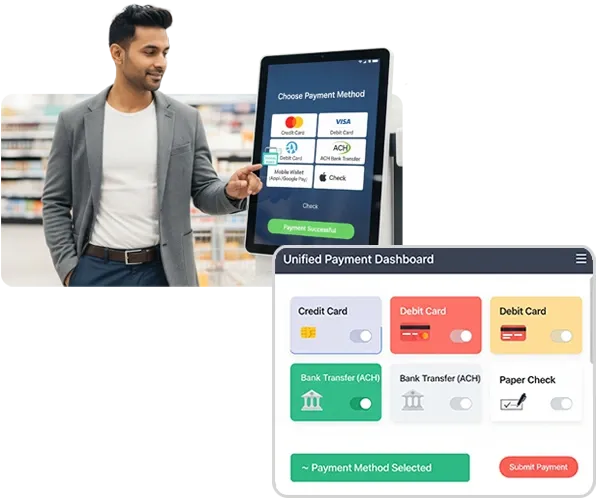
Major credit and debit cards, ACH, and eChecks, taken through Business Central, the payment portal, email links, online checkout, mobile, or in-store POS.
- KulturraSalesforce payments and billing
- IT DelightPayment plugin for Shopware stores
- ShopwareeCommerce platform for online stores
- WPGatewaysCard and ACH checkout for WooCommerce
- CMS MaxWebsite platform with eCommerce and SEO
Dynamics Eshop is a product of its own company. This page is TrueTill's summary of Dynamics Eshop's public materials, reviewed November 16, 2026; images are Dynamics Eshop's own. Features and availability can change, so we confirm them before you sign. Sources: dynamicseshop.com, dynamicseshop.com, dynamicseshop.com.
Get started
Ask about Dynamics Eshop.
Tell us how you run your business. We will confirm whether Dynamics Eshop fits and set it up with the payments behind it.
- A team member follows up with you
- We confirm what fits before you sign anything
- Setup, payments, and support from one team
Rather talk now? We answer around the clock. (843) 296-2599
Form stuck or not loading? Open the form on its own page or call (843) 296-2599.