
Billing and receivables
Send invoices and collect them automatically.
Hyfin is an accounts receivable tool that sends invoices and payment requests by text or email, runs recurring and scheduled payments, and syncs with QuickBooks Online.
Overview
What Hyfin does.
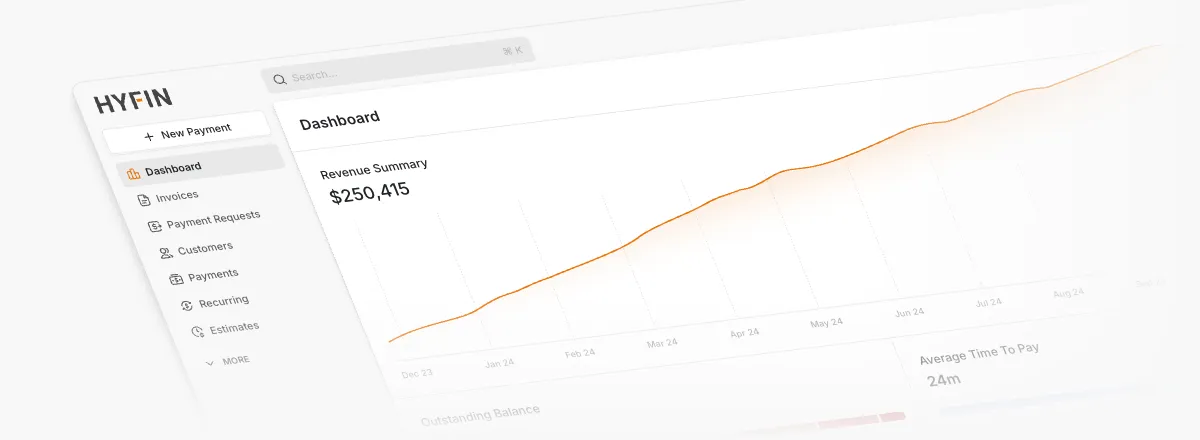
Hyfin handles the receivables side of a business: building invoices, sending payment requests, and collecting the money. Invoices carry your branding, calculate tax and discounts, and include a payment link that goes out by text or email. You can schedule an invoice for a later date, split it into installments for deposits or project stages, or accept partial payments.
Customers can save a card or bank account for future invoices and subscriptions. Hyfin works from an encrypted token and does not store or show card details to the merchant. Subscriptions repeat on the schedule you pick, from weekly to yearly or on a custom cadence, and a virtual terminal lets staff key in card or ACH payments taken by phone.
If you bill from QuickBooks Online, you keep creating invoices there. Hyfin sends the payment link, posts the payment back to QuickBooks Online, and matches deposits automatically. Hyfin lists Xero and Sage Intacct as coming soon. The app also supports tips, user roles with custom permissions, and pricing options such as dual pricing and surcharging.
Capabilities
What Hyfin handles.
- Smart invoicesBranded invoices with tax, discounts, and a payment link, sent by text or email right away or on a date you schedule.Ask about this
- Installments and partial paymentsSet amounts or percentages due on specific dates for deposits and project stages, or let customers pay part of a balance.Ask about this
- Recurring paymentsSubscriptions that bill weekly, monthly, quarterly, yearly, or on a custom cadence, charging a saved card or bank account.Ask about this
- Tokenized payment on fileCustomers save a card or bank account for later charges. Hyfin works from an encrypted token and does not show card data to the merchant.Ask about this
- Virtual terminalKey in card or ACH payments taken over the phone. Some integrations also let you take card-present payments on a physical terminal.Ask about this
- QuickBooks Online syncSyncs both ways with QuickBooks Online, posting payments back to invoices and matching deposits. Xero and Sage Intacct are listed as coming soon.Ask about this
With TrueTill
One team from fit to go-live.
- 01
Check the fit
We learn how you work, then confirm Hyfin fits your business, your devices, and the software you already use.
- 02
Set it up
We coordinate the Hyfin setup with the payments behind it, so the system and the processing go live together.
- 03
Stay supported
One TrueTill contact for questions after launch, from training to changes as your business grows.
Questions
Hyfin: common questions
Can Hyfin charge a saved card automatically?
Yes. Customers can save a card or bank account, which Hyfin keeps as a token and can charge for later invoices or a subscription.
Can customers make partial payments?
Yes, once you turn the option on. Hyfin also supports invoice installments with set amounts and due dates for deposits or contract stages.
Does Hyfin work with QuickBooks?
Yes, with QuickBooks Online. You create invoices there as usual, and Hyfin sends the payment request and posts the payment back.
- Biller GenieAR automation and B2B payments
- ChargezoomPayments connected to accounting software
- CollectDeskConversational payments
- DepositFixAutomated invoicing and payments
- InvoissInvoicing, purchasing, and inventory
- PayLyncInvoicing compatible with QuickBooks
Get started
Ask about Hyfin.
Tell us how you run your business. We will confirm whether Hyfin fits and set it up with the payments behind it.
- A team member follows up with you
- We confirm what fits before you sign anything
- Setup, payments, and support from one team
Rather talk now? We answer around the clock. (843) 296-2599
Form stuck or not loading? Open the form on its own page or call (843) 296-2599.