
Billing and receivables
Get paid through customer conversations.
CollectDesk combines AR automation, a helpdesk for customer messages, and payment tools such as text-to-pay and a virtual terminal, so your team can answer questions and collect in one place.
Overview
What CollectDesk does.
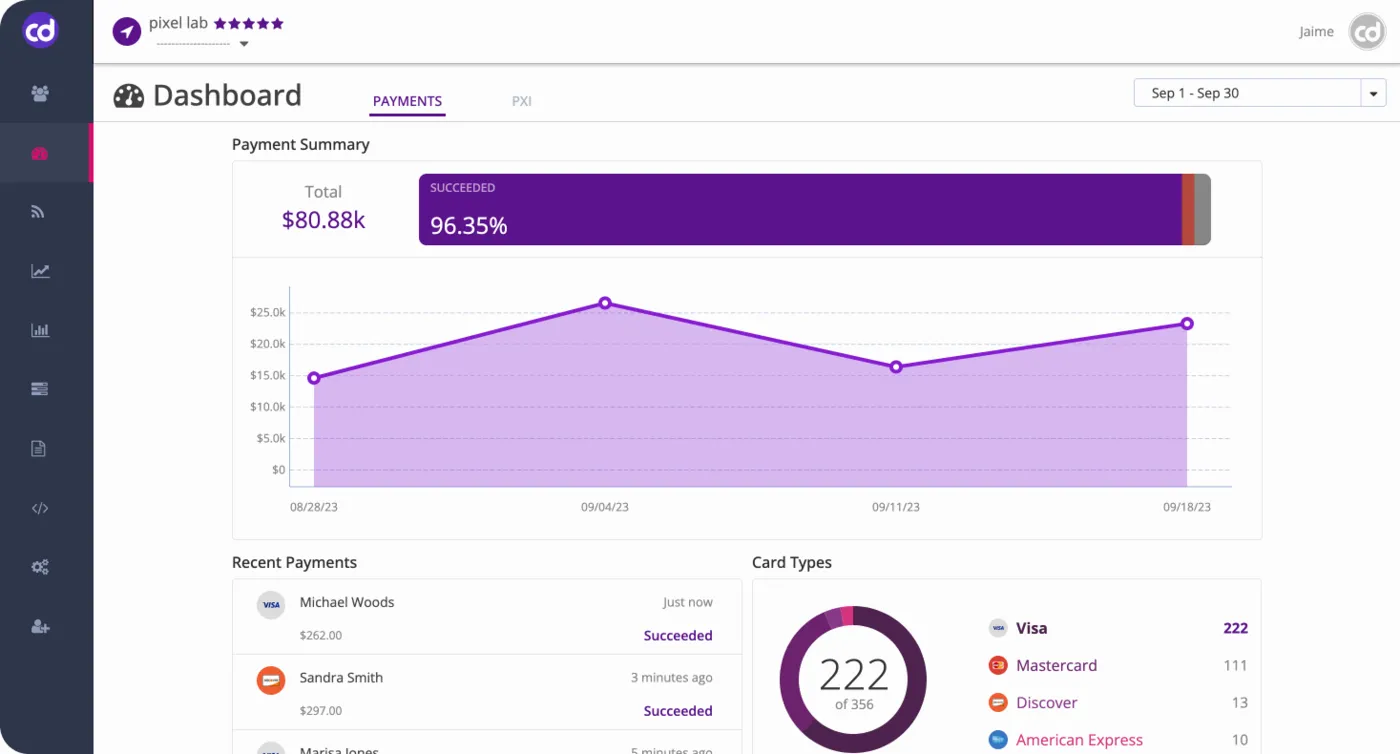
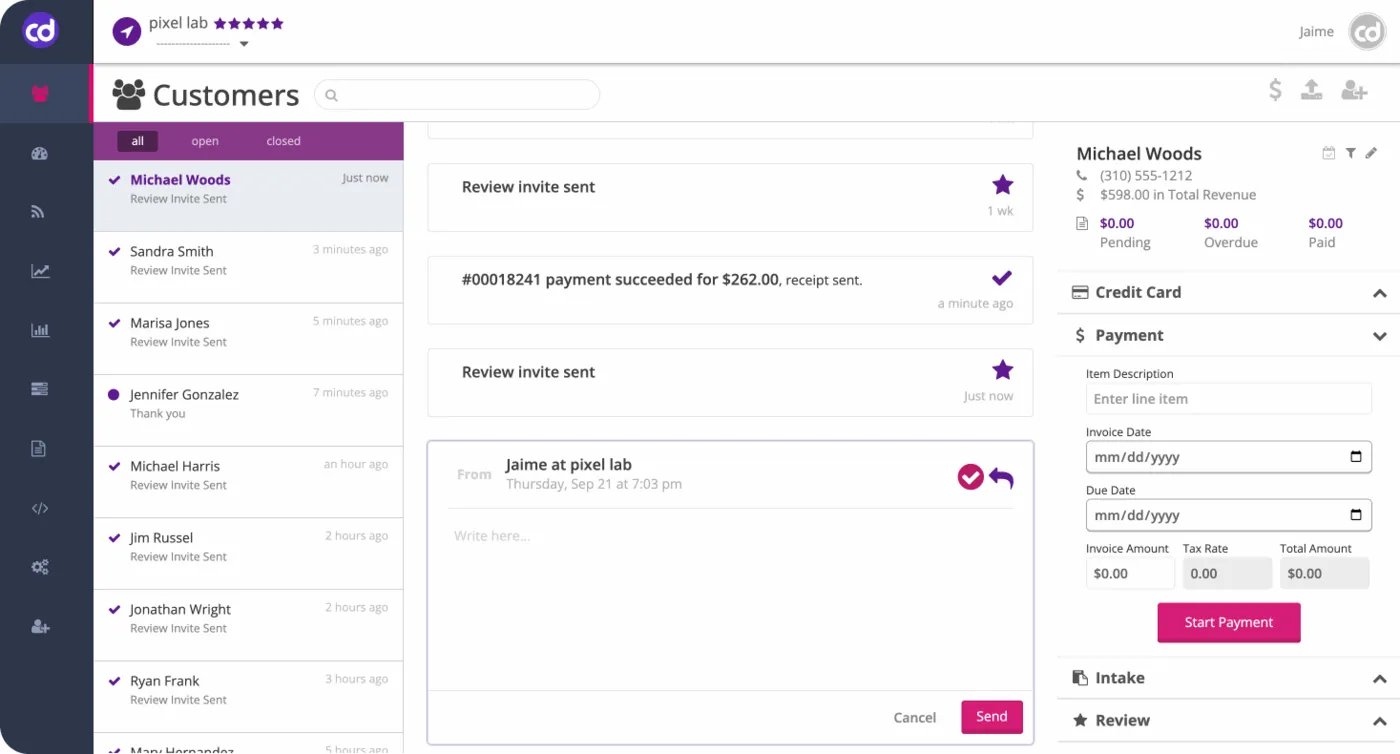
CollectDesk is built for the people who talk to customers about money, such as AR staff and front-desk payment teams. Most invoicing tools track the invoice itself. CollectDesk focuses on the back-and-forth that gets it paid, with a helpdesk-style inbox, text and website messaging, and payment tools in the same workspace.
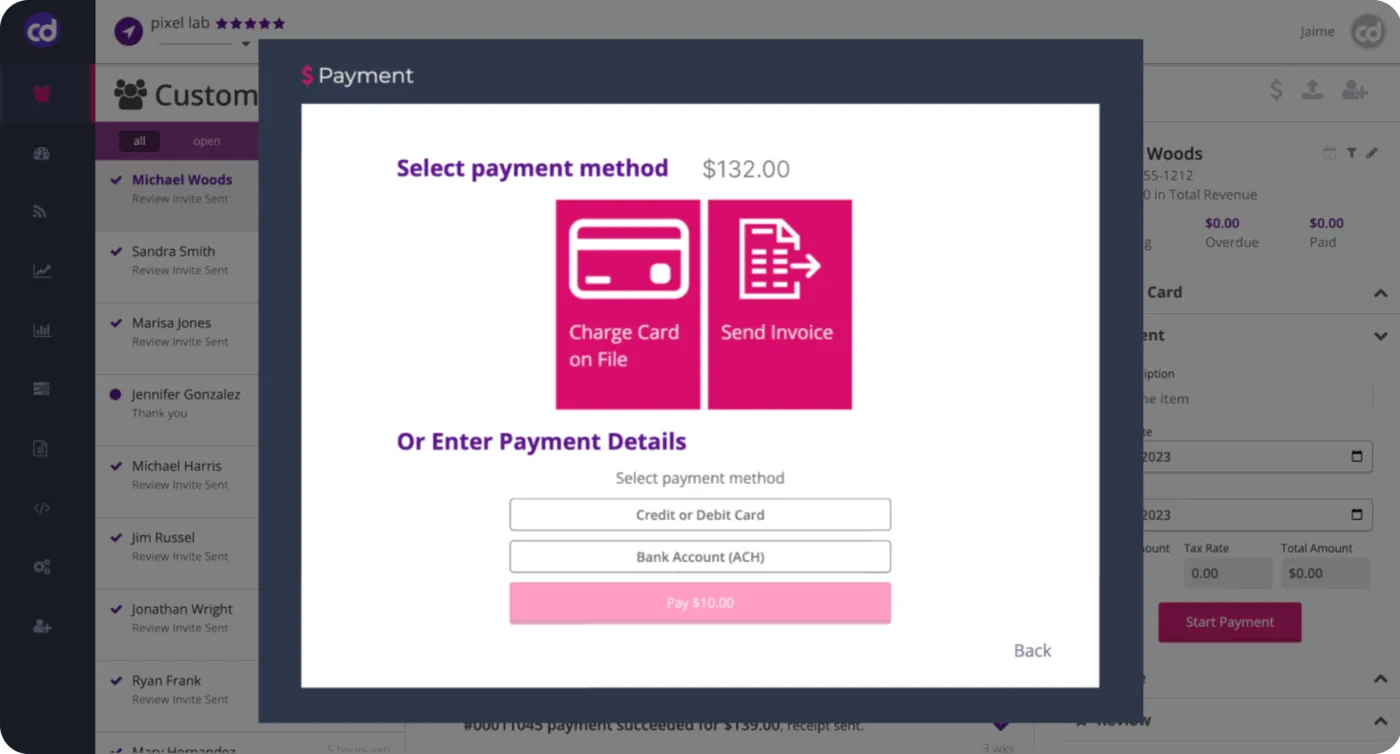
Payment options include invoicing, text-to-pay, payment plans, subscriptions, a virtual terminal, POS, tokenized cards, and digital receipts. CollectDesk syncs with accounting software such as QuickBooks, FreshBooks, and Xero to reconcile payments, and with CRMs such as HubSpot, Salesforce, Pipedrive, and Zoho CRM so a deal can close out when the payment arrives.
For offices with several locations, merchant accounts, or providers, CollectDesk tracks results by location and staff member from one dashboard. It also lists connections to dental and medical practice systems such as Dentrix, Eaglesoft, Open Dental, athenahealth, and eClinicalWorks, plus automations that send forms and surveys and ask customers for reviews.
Capabilities
What CollectDesk handles.
- AR helpdeskA shared inbox where your team handles payment questions and follow-ups next to the invoices they relate to.Ask about this
- Text-to-pay and web-to-textSend payment requests by text, and turn website visitors into text conversations that can end in a payment.Ask about this
- Payment toolsInvoicing, subscriptions, payment plans, a virtual terminal, POS, tokenized cards on file, and digital receipts.Ask about this
- Accounting and CRM syncConnects with QuickBooks, FreshBooks, Xero, HubSpot, Salesforce, Pipedrive, and Zoho CRM to reconcile payments and update deals.Ask about this
- Multi-location trackingSee collections by location, provider, and staff member, even across several merchant IDs, from a single dashboard.Ask about this
- Reviews, forms, and surveysAutomations ask customers for reviews and send branded forms and surveys from the same platform you collect in.Ask about this
With TrueTill
One team from fit to go-live.
- 01
Check the fit
We learn how you work, then confirm CollectDesk fits your business, your devices, and the software you already use.
- 02
Set it up
We coordinate the CollectDesk setup with the payments behind it, so the system and the processing go live together.
- 03
Stay supported
One TrueTill contact for questions after launch, from training to changes as your business grows.
Questions
CollectDesk: common questions
Which accounting tools does CollectDesk connect to?
CollectDesk lists QuickBooks, FreshBooks, and Xero. Its QuickBooks connection is available on QuickBooks Essentials and higher plans.
- Biller GenieAR automation and B2B payments
- ChargezoomPayments connected to accounting software
- DepositFixAutomated invoicing and payments
- HyfinAutomated accounts receivable
- InvoissInvoicing, purchasing, and inventory
- PayLyncInvoicing compatible with QuickBooks
CollectDesk is a product of its own company. This page is TrueTill's summary of CollectDesk's public materials, reviewed November 16, 2026; images are CollectDesk's own. Features and availability can change, so we confirm them before you sign. Sources: collectdesk.com, collectdesk.com, collectdesk.com.
Get started
Ask about CollectDesk.
Tell us how you run your business. We will confirm whether CollectDesk fits and set it up with the payments behind it.
- A team member follows up with you
- We confirm what fits before you sign anything
- Setup, payments, and support from one team
Rather talk now? We answer around the clock. (843) 296-2599
Form stuck or not loading? Open the form on its own page or call (843) 296-2599.