
POS and restaurant operating systems
One cloud system from the register to the kitchen line.
Figure is a cloud POS that links the register, kitchen screens, online orders, kiosks, and staff tools, so orders reach the kitchen without retyping and owners can follow sales from a phone.
Overview
What FIGURE POS does.
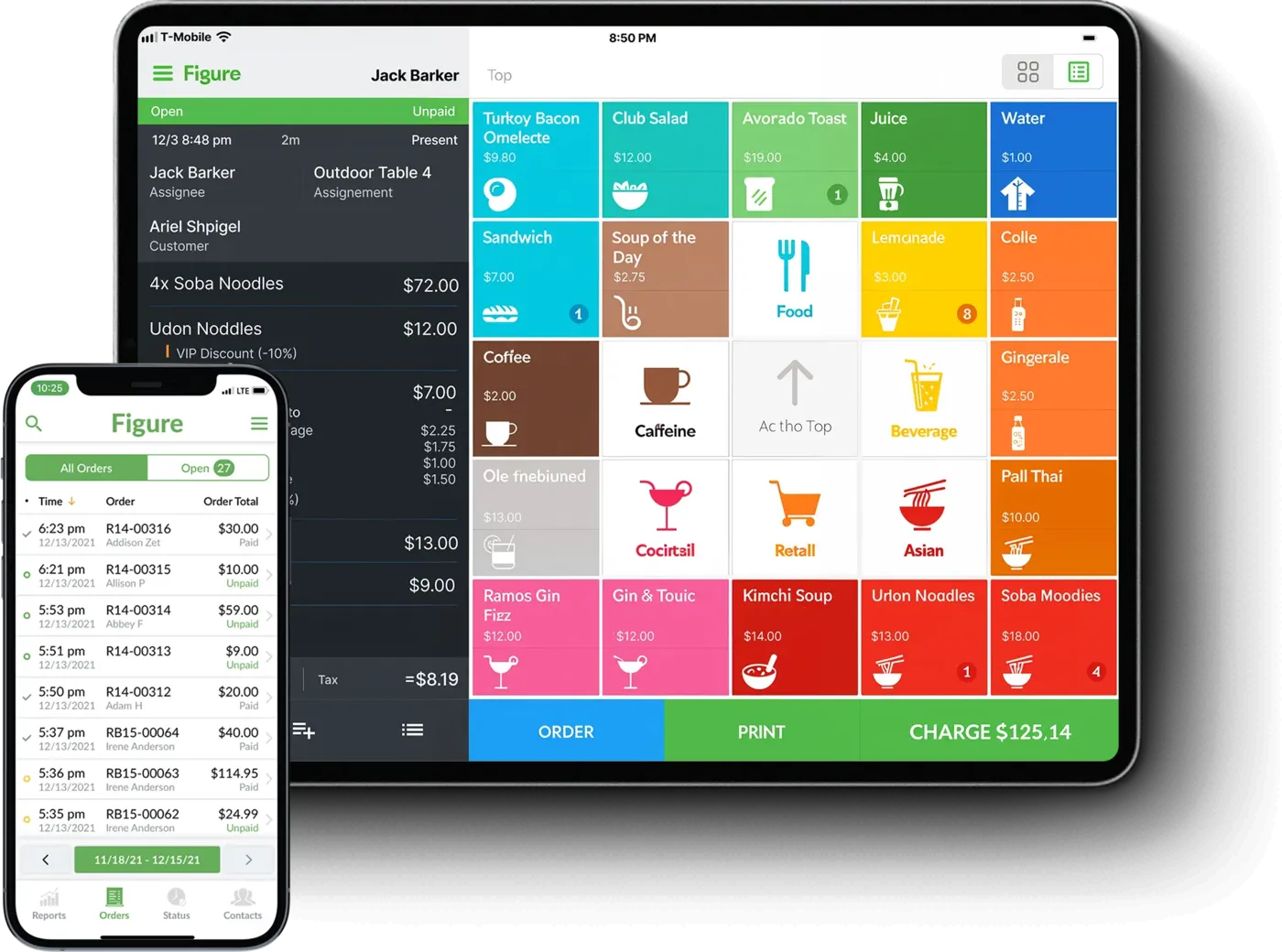
Figure is a cloud-based point of sale built to keep the counter, the dining room, and the kitchen working from the same order. The main register app runs on iOS, where staff clock in, ring up orders, and check guests out, and each order goes on to kitchen screens in place of printed tickets.
Around the register, Figure adds the pieces guests touch: online ordering under the restaurant's own brand through Make It Butter, the Savor Kiosk for self-ordering, a guest-facing display that shows the order and payment choices, and an order status board for pickup. Dine-in, takeout, and delivery orders are tracked in one system, and Grubhub and Uber Eats menus can be managed from the same back office.
Behind the counter, Figure Manage is the browser back office for menus, taxes, staff, and reports, and the Figure Mobile app shows sales from anywhere. Figure also handles timesheets and scheduling and offers a managed payroll service based on the hours staff clock. It markets the system to salons and retail shops as well as restaurants.
Capabilities
What FIGURE POS handles.
- iOS registerThe main Figure POS app runs on iOS for taking orders, checking guests out, and clocking staff in and out.Ask about this
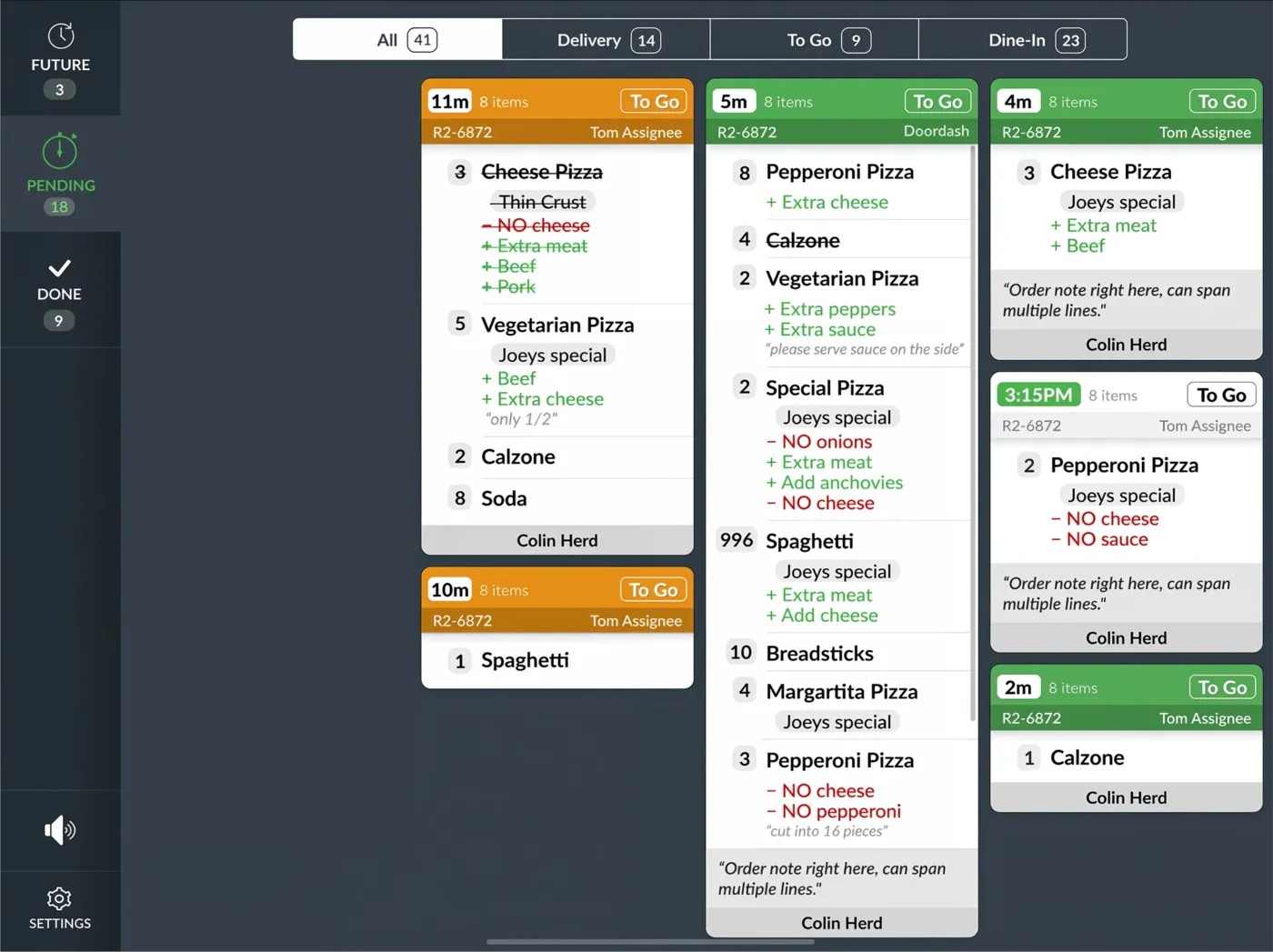
- Kitchen display systemKitchen screens replace printers and paper tickets, and items can be routed to different stations right from the screen.Ask about this
- Branded online orderingMake It Butter gives the restaurant online ordering under its own name, and those orders show up in the POS as soon as guests place them.Ask about this
- Savor Kiosk and guest displayA self-order kiosk carries the restaurant's logo and photos, and a guest-facing screen shows the order, totals, and payment choices at checkout.Ask about this
- Staff and payrollTimesheets and staff scheduling live in the system, and Figure Payroll can run payroll from the hours staff log on the POS.Ask about this
- Figure MobileOwners can check sales and reports from a phone and approve changes without being in the building.Ask about this
With TrueTill
One team from fit to go-live.
Figure builds payments into its POS and lists offline payments among its features.
- 01
Check the fit
We learn how you work, then confirm FIGURE POS fits your business, your devices, and the software you already use.
- 02
Set it up
We coordinate the FIGURE POS setup with the payments behind it, so the system and the processing go live together.
- 03
Stay supported
One TrueTill contact for questions after launch, from training to changes as your business grows.
Questions
FIGURE POS: common questions
Does Figure connect with delivery apps?
Yes. Figure's knowledge base describes a Grubhub and Uber Eats integration that lets you manage both menus from Figure Manage and push updates out to each service.
Is Figure only for restaurants?
No. Figure says its POS is built for restaurants, salons, and retail shops, with the same system handling orders, inventory, and staff.
FIGURE POS is a product of its own company. This page is TrueTill's summary of FIGURE POS's public materials, reviewed November 16, 2026; images are FIGURE POS's own. Features and availability can change, so we confirm them before you sign. Sources: figure.dev, figure.dev, figure.dev, figure.dev, figure.dev, figure.dev, figure.dev, figure.dev.
Get started
Ask about FIGURE POS.
Tell us how you run your business. We will confirm whether FIGURE POS fits and set it up with the payments behind it.
- A team member follows up with you
- We confirm what fits before you sign anything
- Setup, payments, and support from one team
Rather talk now? We answer around the clock. (843) 296-2599
Form stuck or not loading? Open the form on its own page or call (843) 296-2599.